You add your guests, and vipinvit.es sends each of them a personal invitation, collects the replies and reminds everyone who hasn’t answered yet. On the night, every guest shows their QR code at the door, and you can see who has arrived.
From the first list to the thank-you, everything stays in one place.
Build the guest list
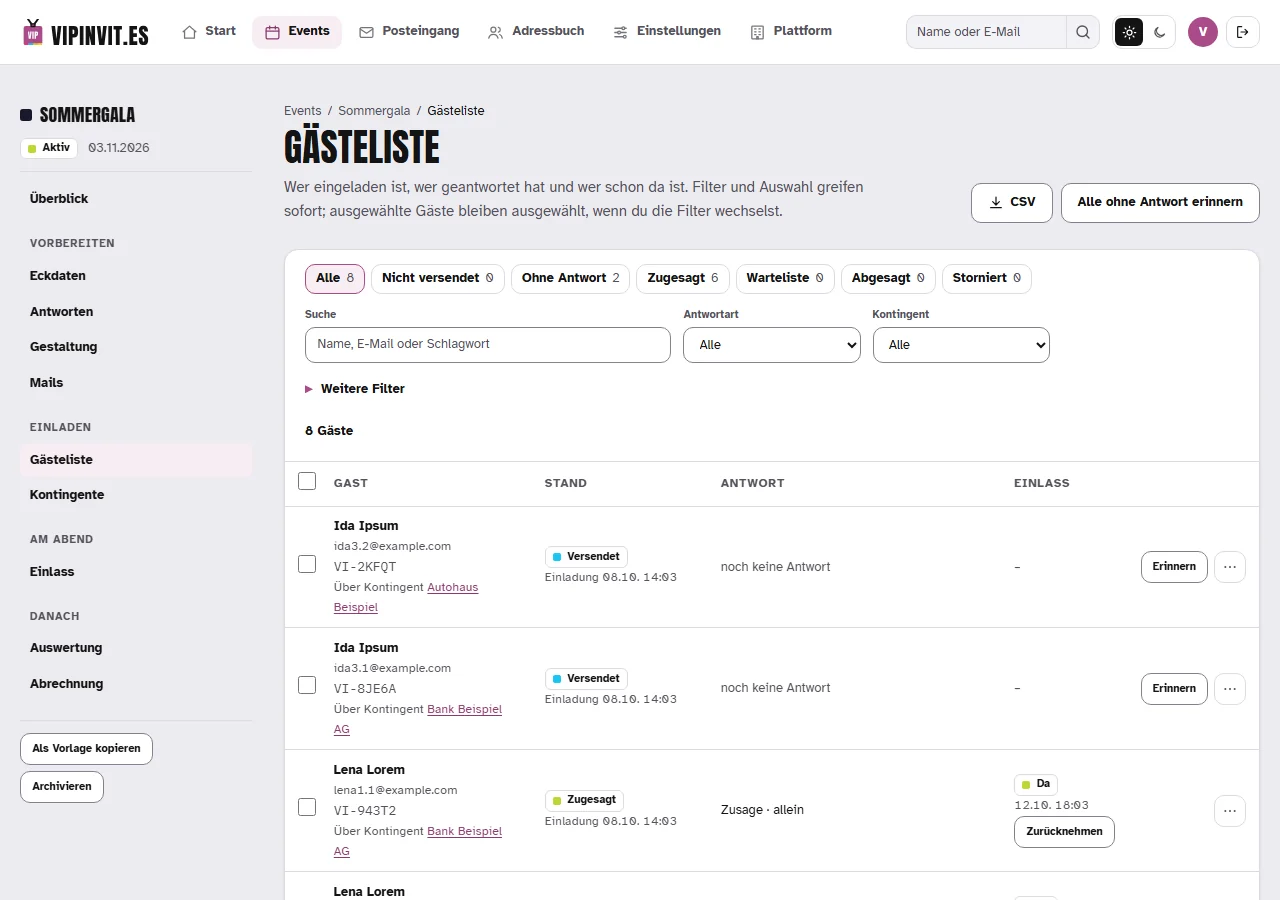
Import your list from Excel or CSV, sort guests into groups and decide who may bring a companion. Sponsors can get a link of their own and add their guests themselves.
A few weeks before
Invite personally
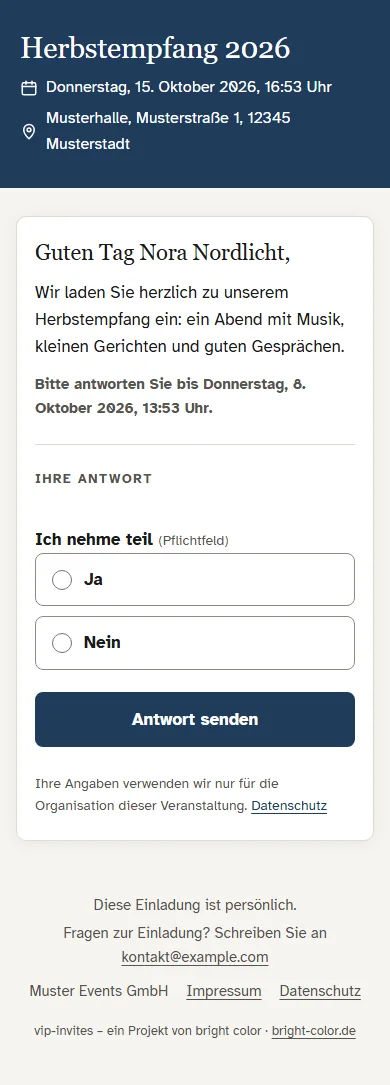
Every guest receives an email in your event’s colour, with their own reply link and in their language. If you like, the invitation opens as an envelope with a wax seal and the guest’s name on it. Send now or pick a time, and see for every email whether it arrived.
With the invitation
Collect replies
Acceptances, declines and answers to your questions go straight into the guest list. When a guest writes back, the message lands in your inbox and as a copy in your own mailbox. Anyone who stays silent gets a reminder, and when the event is full, the waiting list moves up by itself.
Until the reply deadline
Send the final details
Everyone who accepted gets one email with the practical details you write for it: directions, parking, dress code. vipinvit.es adds their admission code and the calendar entry.
Shortly before
QR check-in
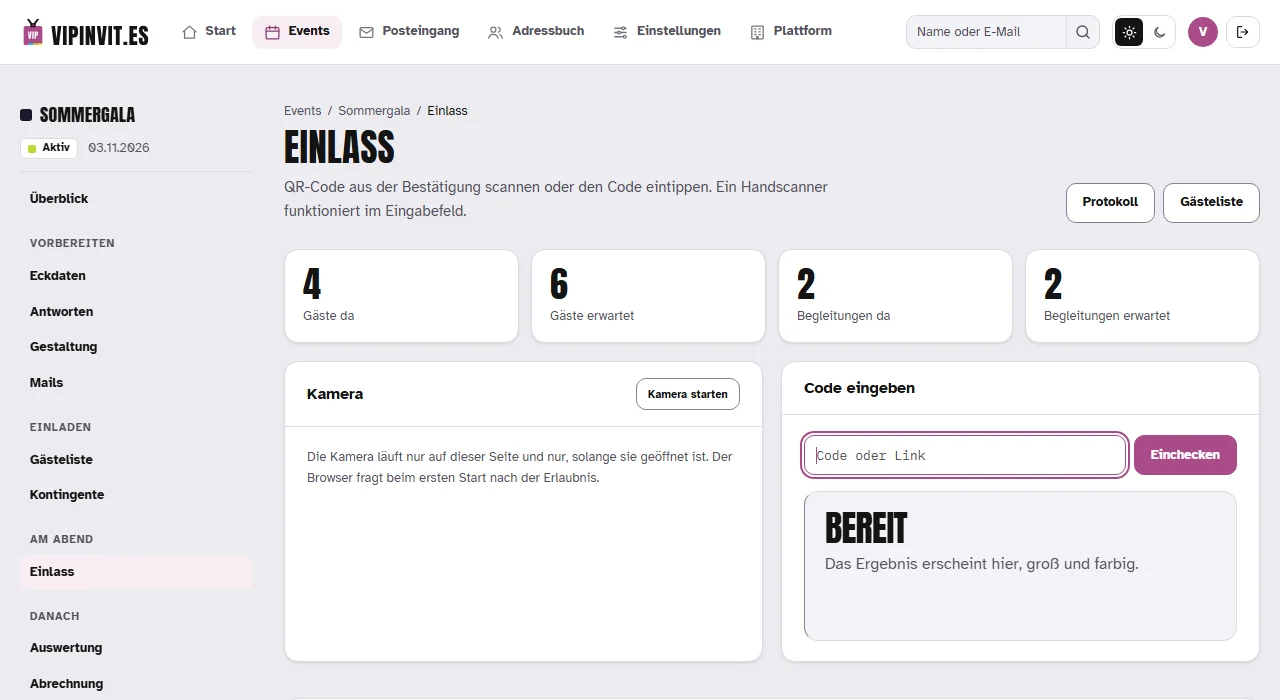
Your team scans the codes with a phone camera or a handheld scanner. Companions, parking permits and notes show up right away, and when a guest you are waiting for arrives, you get an email at once.
On the night
Say thank you
Everyone who came gets a thank-you email. The guest list with all answers is available as CSV, the figures as a PDF report.
The day after
Your event on one page
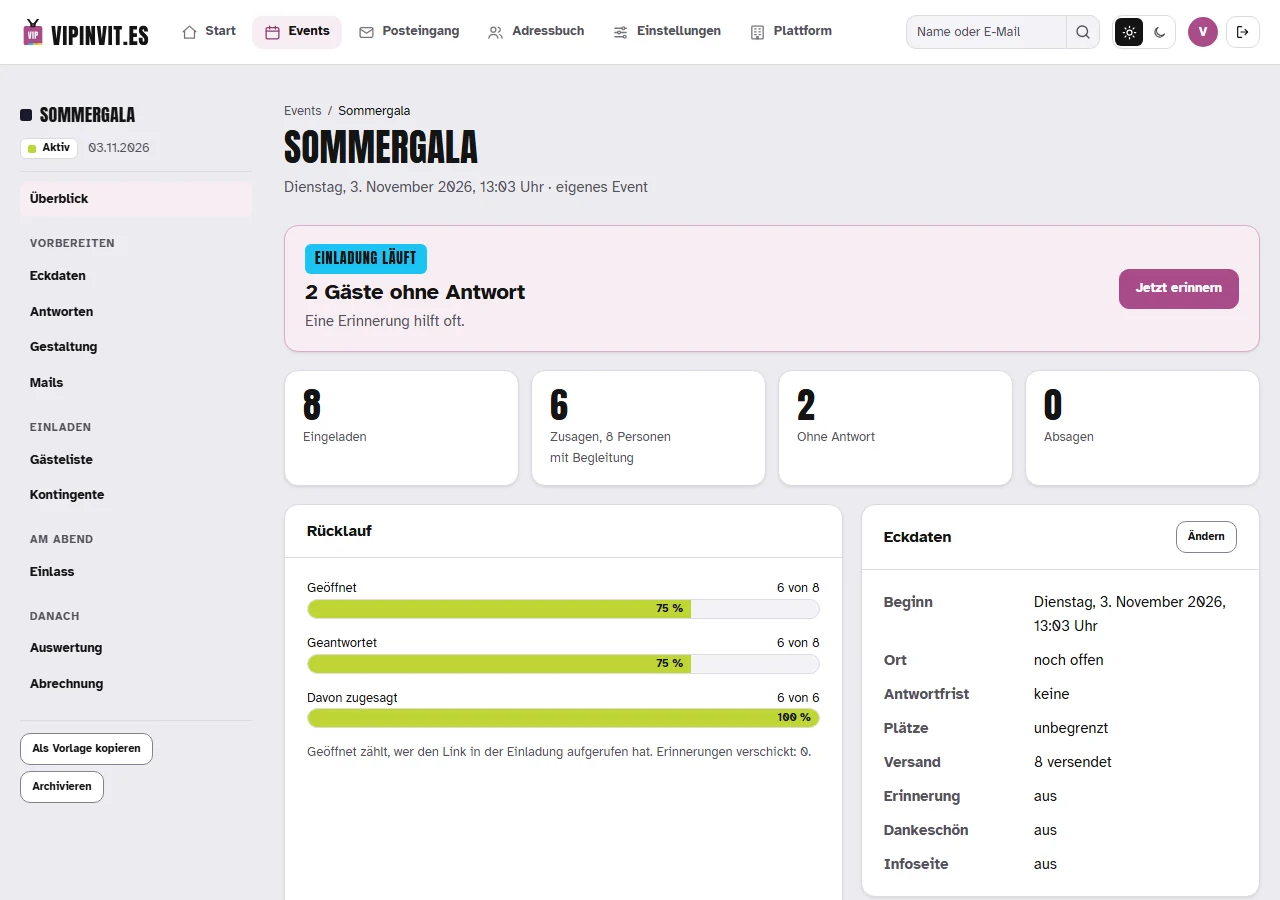
Replies, acceptances, free places and sending all sit in the overview. The admin runs in the browser, light or dark.
What’s included
Every plan includes every feature.
For your guests
Accept or decline with one click, straight from the email
Invitation, reply page and emails in English, German, Spanish or French
Their own link and admission code for every companion
Confirmation with QR code and calendar entry
An envelope on opening, if you like: the guest’s name on the front, a wax seal with your initial or logo on the back
Guests change their reply themselves until the deadline
Inviting and following up
Import from Excel or CSV, groups and tags
Reply form with your own questions, including conditional ones
Send now or at a time you choose
Delivery status for every email, with the reason when one fails
Reminders to everyone who hasn’t replied, and a waiting list that moves up by itself
Seven designs, plus looks of their own for groups or individual guests
Replies and partners
An inbox for guests’ replies, with a copy to your own mailbox
Answer straight from vipinvit.es, the conversation stays with the guest
A link of their own for sponsors and partners who invite guests themselves
Partner invitations after your approval, if you like
User accounts with roles and a log of every change
On the night and after
Check-in by phone camera, handheld scanner or code
Companions, parking permits and notes at the door
An email the moment a guest you are waiting for checks in
Your guests open the link in their invitation and reply in the browser. At the door they show the QR code on their phone or printed out.
Does it match our corporate design?
Choose one of seven designs (Classic, Modern, Minimal, Gala, Festive, Editorial, Business), your colour as the value from your style guide, a matching font pair and a title picture. Upload your logo as PNG or SVG: if you like, the invitation opens as an envelope and your logo is pressed into the wax seal. For single groups, such as sponsors, you set up a look of their own.
Which languages does it speak?
Guests read the invitation, reply page and emails in English, German, Spanish or French and can switch the language themselves. You translate your own texts in the event. The admin interface is in German.
Can I bring my existing guest list?
Yes, from Excel or as a CSV file separated by semicolons or commas. The import also recognises languages written as names, such as “Español”.
What do I need for check-in?
A phone, tablet or laptop with a browser. The check-in page uses the camera, a handheld scanner on a laptop or a code typed in.
What happens when guests reply to the invitation?
The email lands in vipinvit.es with the guest and in your inbox, and a copy with attachments goes to your own mailbox. You can answer from vipinvit.es or from your mail program; both show up in the conversation.
Can sponsors invite guests of their own?
Yes. Every sponsor or partner gets a link of their own and adds guests there, up to the number you set. For each partner you decide whether invitations go out at once or after your approval.
What if a mail filter clicks the links?
Some companies run every email through a filter that opens the links before the guest sees the email. vipinvit.es recognises these visits and asks once more for freshly delivered emails before an acceptance counts. What counts is what the guest clicked.
Does it work with tickets?
Yes, through pretix. I set up the connection to your pretix for you. The ticket is created automatically after the acceptance, and at the door you scan with vipinvit.es or pretixSCAN.
How do I cancel?
A single event ends by itself 30 days after your event. You can cancel the monthly plan any month after the first 3 months, and the annual plan at the end of the contract year.
Who is behind it?
vipinvit.es is a product of bright color. I build and run it myself, and if you have questions, you write to me directly. bright-color.de